How to play Commander online comes down to one question for your MTG pod: do you want to play the paper cards you own, or any cards at all? There are four common ways to do it, and they sit on either side of that question. If your pod tried once and gave up, the likely problem is that you picked the wrong kind of tool, not a bad one.
I build one of the browser tables below, EDHMat, so read those parts knowing that. What EDHMat does in detail, and how it sits next to MTGO and Arena, is on the MTG Commander online page.
The four ways to play Commander online
1. Webcams and your paper cards
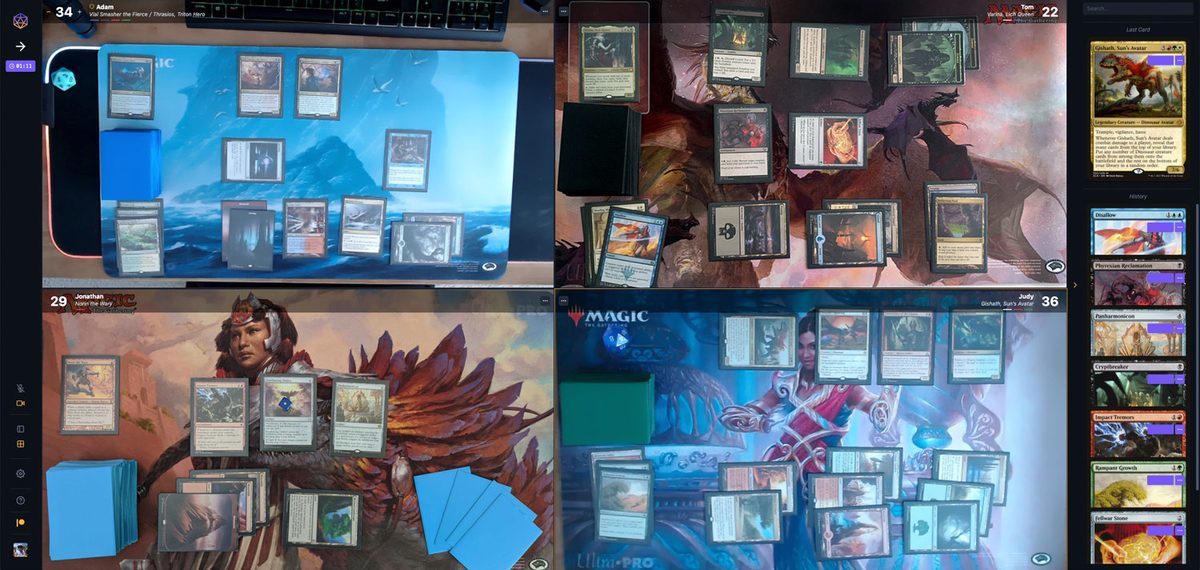
SpellTable and Convoke. You shuffle your own deck, play your own sleeves and keep the physical game. The downsides are bandwidth, lighting and patience: reading a card someone holds up to a camera takes practice, and a board with forty permanents is hard to follow through a lens.
2. A browser table with digital cards
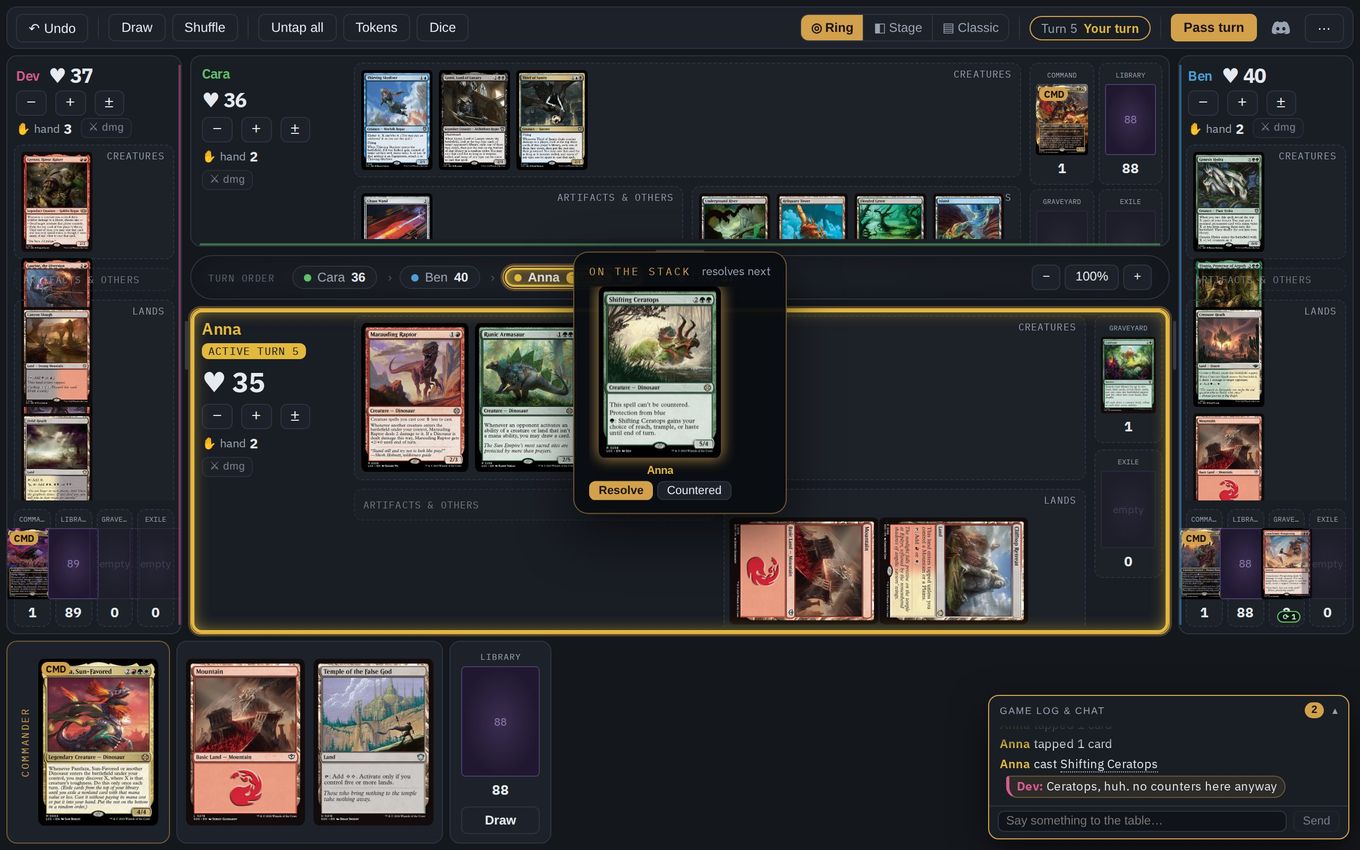
EDHMat, TableCommander and Kiku.gg, among others. Everyone sees the same board in a browser tab. There is nothing to install, it usually costs nothing, and often you don't need an account. You can play any deck you have a list for, including ones you don't own. You move your own cards and remember your own triggers, because these tables don't know the rules of Magic.
3. A client that enforces the rules
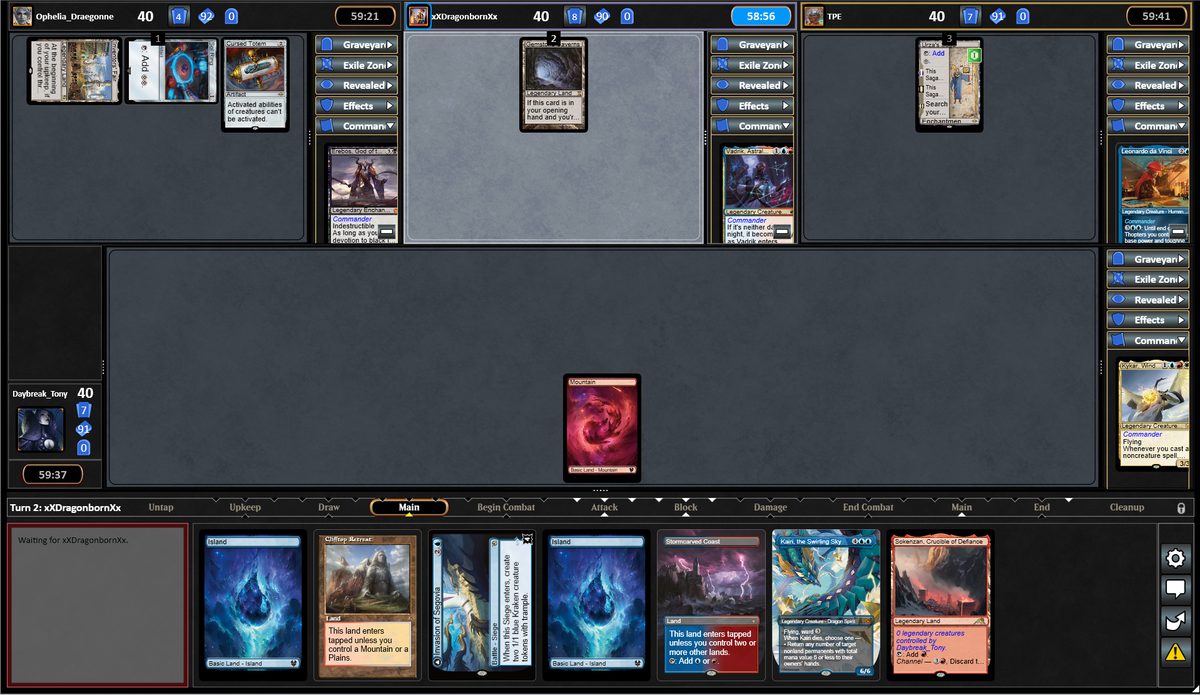
XMage and Forge for free, or Wizards' own Magic Online. The stack resolves itself, triggers happen on their own, and illegal plays are refused. All three are downloads, and XMage and Forge take a session or two to learn. If forgotten triggers are what ruin your games, this is the category to look at.
4. A sandbox
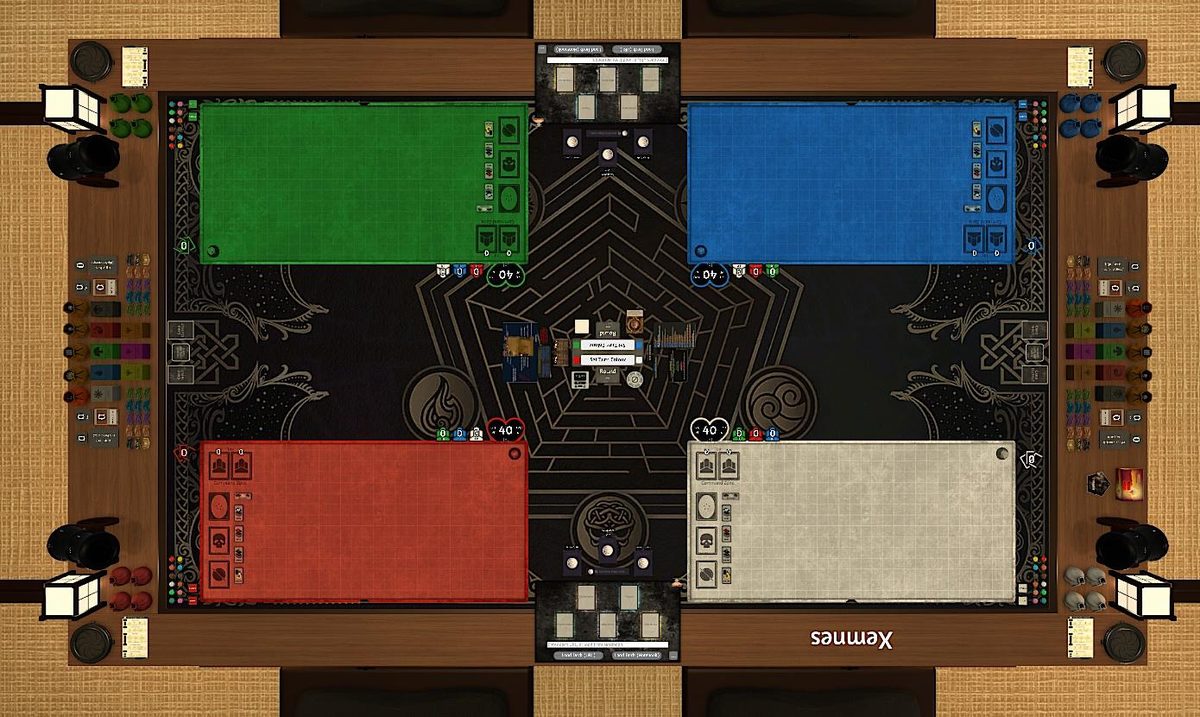
Tabletop Simulator. You can do anything: any card, any layout, any house rule, with physics. It also takes the most setup of anything here, and every player has to buy it.
Every tool in each of these groups, with what it costs and what it asks of you, is listed in where to play Commander online.
If a browser table sounds right, you can have one open in a few seconds, with no sign-up.
Open a tableHow to play Commander online with EDHMat
If your pod wants to play tonight, this takes a couple of minutes, and most of that is people pasting decklists.
1. Open a table
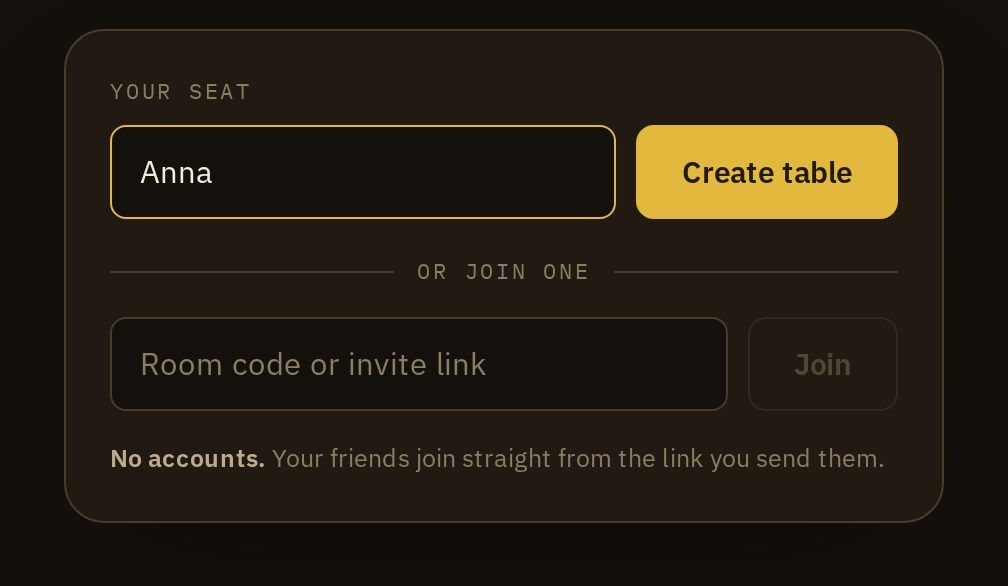
One person opens EDHMat and clicks Create table. There's no sign-up, email or password. A nickname is already filled in; change it or leave it.
2. Send the link

They post the link in the group chat. Everyone clicks it and types a name. That is all the registration there is.
3. Paste your decklists

A text export from Moxfield, Archidekt or Arena, an Archidekt deck link, or a plain list of card names. The cards are looked up on Scryfall and you pick your commander from the list. Your browser remembers the decks you've used, so next time it's one click.
4. Deal

The person who opened the table starts the game. Everyone gets a shuffled library and seven cards, and a mulligan is one click.
There's a longer walkthrough, with the controls you need during a game, in your first game of Commander online. Keep your voice call where you already have it, which for most pods is Discord; I wrote a separate guide on running the call and the table together.
That's the whole setup. Open a table, then send the link to your pod.
Open a tableWhat a browser table will and won't do
People coming from Arena are often surprised by this. A browser table is closer to a shared playmat than to a video game. On EDHMat:
- It won't stop a play. You can attack with a creature that just came down or cast a spell you can't pay for, the same as with cardboard. Commander is full of odd interactions and house rules, and a rules engine that only handles part of the format ends up blocking plays you meant to make.
- It writes everything down. Every draw, cast, move, tap and life change goes into a log the whole table reads, so when someone asks when a card came down, you scroll up. A misclick can be undone.
- It does the bookkeeping. Commander tax is counted for you, spells on the stack keep the order they were cast in, and the table reminds you to draw for the turn.
If your pod would rather have the rules enforced, that's the third way above.
Which one fits your pod
| If your pod… | Use |
|---|---|
| owns the paper decks and wants to play them | SpellTable or Convoke |
| wants to be playing a few minutes after someone suggests a game, with no sign-ups | EDHMat |
| wants to try a deck before buying it, or play a list nobody owns | EDHMat |
| wants the rules enforced and pays nothing | XMage or Forge |
| wants the rules enforced and already plays on MTGO | Magic Online |
| wants a full sandbox and doesn't mind paying | Tabletop Simulator |
Common problems
"Someone always drops." Use a tool that keeps the game on the server rather than in someone's browser. In EDHMat, a player who drops opens the same link again and is back in their seat with the current board.
"We lose track of the board." This is the most common complaint about remote Commander, and it's worse with webcams than with digital cards. If your pod keeps arguing about what's on the table, switch to digital cards and pick a tool that logs actions.
"Setting up takes longer than the game." That usually comes from accounts, friend requests and lobby settings. A table where the invite is just a link avoids most of it.
"We want to play decks we don't own." Then you need digital cards, since a webcam can only show what's physically on your table. Browser tables import a decklist, so the deck you put together last night is playable tonight.
"Half of us are new to Commander." Read how to play EDH together first. The format adds five or six rules to ordinary Magic, and they fit on one page.
Where to go next
- Where to play Commander onlineEvery place I know of, grouped by what each one asks of you.
- Commander online: your first gameYour first game on EDHMat, step by step, with a table you can open on the page.
- Importing a decklistWhich export to use, and what to do with cards that don't resolve.
- SpellTable alternativesWebcam tools, browser tables and rules clients, side by side.
Questions, or looking for more players for a game? Ask in the EDHMat Discord.
Frequently asked questions
Can I play Commander online for free?
Yes. EDHMat, TableCommander, Kiku.gg, XMage and Forge are all free, and SpellTable is free with a Wizards account. The common option that costs money is Tabletop Simulator, which every player has to buy on Steam.
Do I need to own the cards to play Commander online?
Only with a webcam tool like SpellTable or Convoke, which point a camera at your real deck. Browser tables and rules-enforcing clients deal digital cards from a decklist, so you can play a deck you have never owned. Magic Online is the exception on the digital side: there you play with cards in your MTGO collection.
How many players do you need to play Commander online?
Two or more. Commander is usually played with four, but a game of two or three works the same way, and most browser tables seat up to six. On EDHMat you can even start alone against a dummy seat to try a deck.
What is the fastest way to get a pod playing?
Use a table that needs no account and no install. One person creates the table and posts the link in the group chat, everyone clicks it and pastes a decklist, and the game can start.